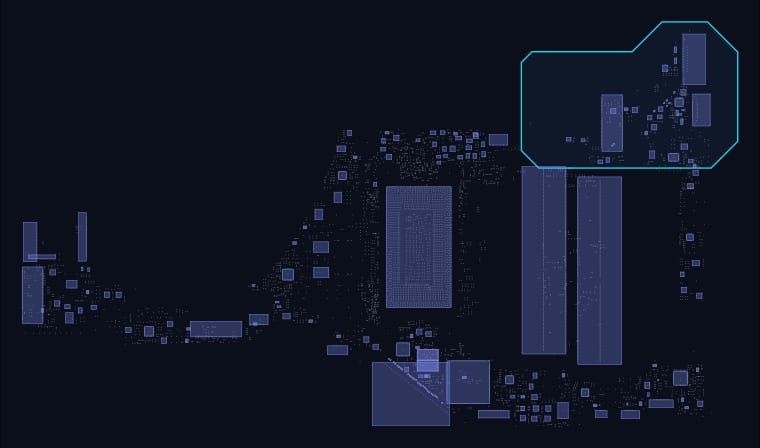
HP Spectre x360 Boardview & Schematic
Interactive boardview for the HP Spectre x360 logic board, mapped straight from the manufacturer board file. Search a designator or a net name and the viewer will show you exactly where the part sits, which side it is on, and what every pad connects to.
Interactive boardview
Click a component · scroll to zoom · drag to panAbout this HP Spectre x360 board
This page is generated from the board file itself, so the map above is the manufacturer layout rather than a redrawing of it. The board carries 2,677 components and 2,537 named nets across 10,208 pads, with 1,334 test and probe points marked in amber for when you want to measure rather than desolder. This file does not record whether each part is surface-mount or through-hole, so the viewer gives those parts their own colour instead of guessing — the top and bottom side filter is still the fastest way to work.
Check the board number before you order parts: several of these machines shipped with more than one board revision, and a component taken off the wrong revision frequently has the same designator and a different footprint.
Frequently asked about the HP Spectre x360
What board number is the HP Spectre x360?
This board file is filed under its manufacturer board file name rather than a published MLB number. The original file name is preserved in the download section below, which is the safest thing to match against if you are identifying a board from an image.
How many components and nets are on the HP Spectre x360?
The board file records 2,677 components, 2,537 named nets and 10,208 pads, plus 1,334 test and probe points. The board measures 139.27 × 275.87 mm. This board file records no surface-mount flag, so the viewer colours those parts separately rather than guessing at a type the file does not carry.
How do I use this HP Spectre x360 boardview?
Type a designator such as a component reference, or a net name, into the search box above. A net name takes priority and highlights every pad on that net across the whole board. Clicking a component outlines it in white and lists every pad it has with the net each one belongs to; clicking one of those nets jumps the highlight to the whole rail. Use the side filter to isolate the top or bottom face, and the designator toggle to hide the reference text when you are zoomed out.
Is a schematic available for the HP Spectre x360?
Not yet. The boardview is complete and interactive on this page, and the board file itself is downloadable, but we have not got a verified schematic for this revision. We would rather show the gap than link to a schematic that belongs to a different board revision — on a multi-revision machine those files look right and are wrong in exactly the places that cost you an afternoon.
Can I download the HP Spectre x360 boardview file?
Yes. The original 315 KB BoardView file is linked below under downloads, named hp-spectre-x360.brd. Open it in BoardViewer or any other tool that reads the .brd format. The interactive viewer on this page is for looking things up quickly; the .brd is what you want when you are at the bench with the board on the mat.
Related boards
Other boards for the same machine family, in case this is not the revision you have.