




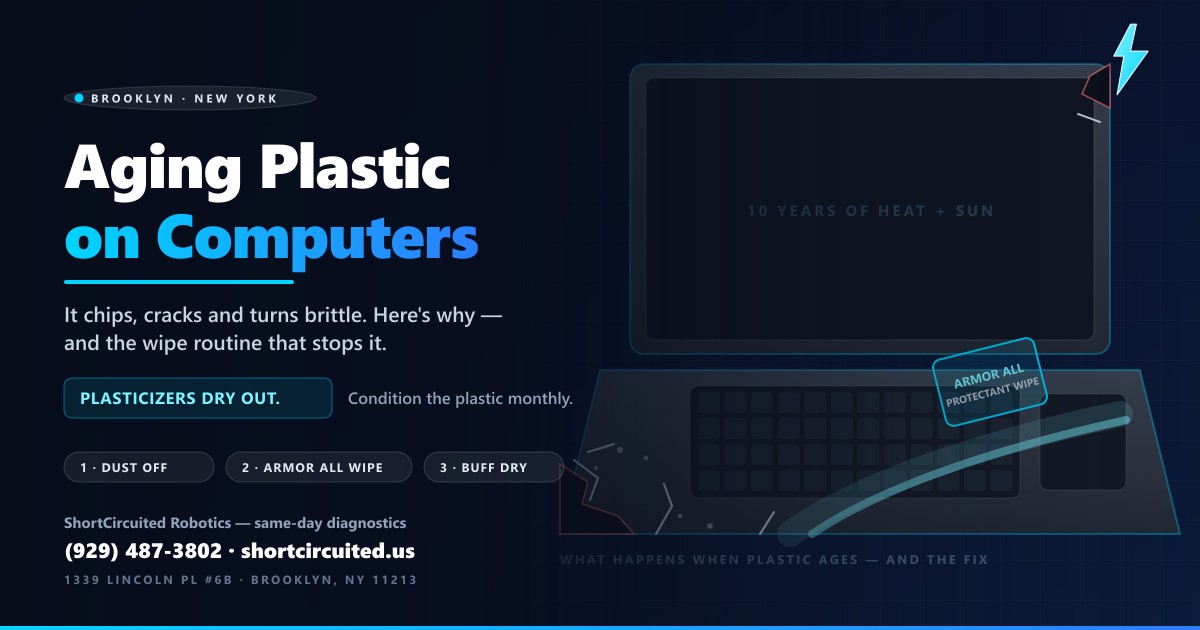
A machine can run perfectly and still look like it lost a fight. The palm rest goes chalky, a corner chips off when the laptop taps a desk, a hairline crack crawls out of a hinge and one day the lid bezel just snaps. Every one of those failures is the same process: computer plastic ages, dries out and turns brittle. The good news is that unlike most computer aging, this one is largely reversible-in-prevention — a monthly pass with Armor All wipes, as routine maintenance, keeps the plastic conditioned for the life of the machine.
Here is why the plastic fails, what you can do about it starting tonight, and exactly how we repair it at the bench when it has already cracked.
Why Computer Plastic Gets Brittle: The Plasticizer Story
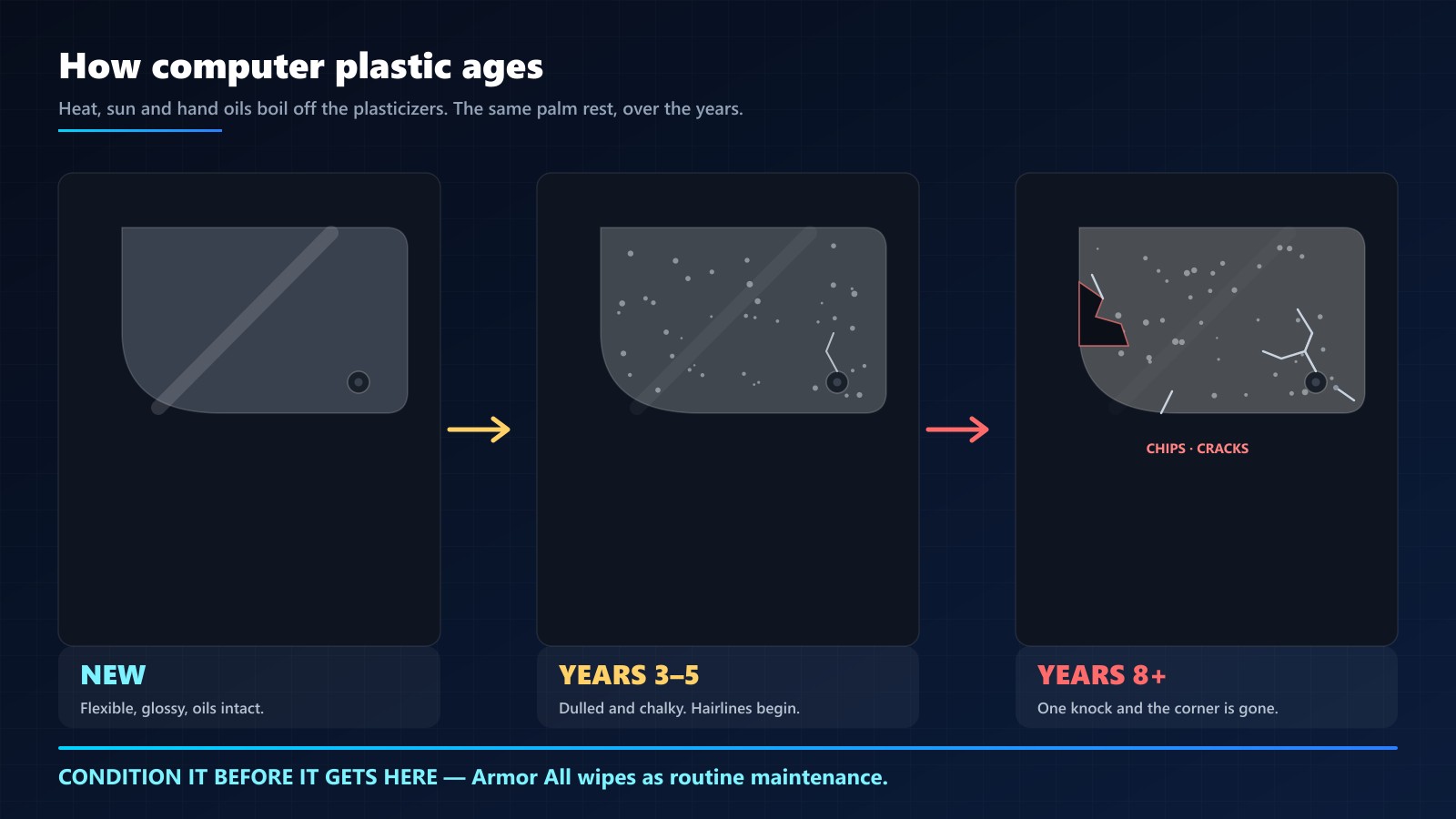
Nearly every case, bezel, palm rest and peripheral shell is ABS, polycarbonate, or a blend — tough, moldable plastics that are not born brittle. They are kept flexible by plasticizers: oils blended into the plastic that let its long molecular chains slide instead of snap. New plastic is plasticizer-rich, which is why a new laptop flexes and shrugs off knocks.
Then the kitchen-sink chemistry starts:
- Heat cycles. Every long session warms the chassis; every cooldown hardens it. Years of cycles slowly drive the plasticizer oils out of the surface.
- UV light. Sunlight and even bright indoor light oxidize the surface — the same chemistry that yellows retro consoles.
- Hand oils and grime. Skin oils, food residue and dust hold moisture and acids against the plastic for hours a day.
- Harsh cleaners. Alcohol and acetone strip the remaining oils aggressively — the exact opposite of what the plastic needs.
What remains is plastic with a dry, oil-starved surface: stiff, chalky, with zero give. And plastics fail in exactly one way at that point — stress concentrates at the thin sections. Screw bosses, hinge mounts, snap clips and outer corners are all thin, all highly stressed, and all first to chip and crack. Drop a fresh laptop on a corner and it bounces; drop a ten-year-old machine the same way and the corner breaks off. That is not bad luck, it is chemistry.
Where It Shows Up First
After years on the bench, the failure list barely changes from machine to machine:
- Palm rests and keyboard surrounds — hand oils and wrist pressure make this the fastest-aging surface on any laptop.
- Lid corners and screen bezels — thin plastic, daily flexing, and the first place a chipped corner appears.
- Hinge mounts — the most stressed joint in the machine; a cracked hinge seat is the crack that takes the whole case (and sometimes the motherboard) with it.
- Mice, keyboards and console shells — same plastics, same clock, plus friction from palms.
- Monitors and printers in sunny corners — UV does in years what heat does in decades.
- MacBook "rubberized" coatings — that peeling, sticky surface is the coating aging off the plastic underneath.
And it is not just cosmetic. A cracked palm rest edge is sharp enough to cut a wrist. A broken screw boss means the case no longer clamps together, so everything flexes. A cracked hinge lets the lid wobble, and that wobble works the display cables, the antenna and eventually the board underneath. Plastic condition is mechanical health, not just looks.
Routine Maintenance: The Armor All Wipe Method
You cannot re-plasticize a case at home, but you can keep the oils it still has — and that is the whole game. Armor All protectant wipes (the same product culture has trusted on car dashboards for decades) do three things the aging surface needs: they clean the grime layer off, they condition the plastic with replenishing oils, and they leave a UV-protective film behind. Done monthly, that is the difference between a machine that ages and a machine that only gets old.
The routine, step by step:
- Power off and unplug. Cheap insurance — you are about to move liquid across a machine.
- Dust with a dry microfiber first. Wiping grit directly is how swirl-scratches happen; lift the dry particles before anything wet touches the surface.
- One wipe, one section, long passes. Palm rest first, then lid, then sides. Let the wipe do the work — no need to scrub. Fold to a clean face as it picks up grime.
- Keep it out of the openings. No protectant into keyboard gaps, ports, vents or speaker grilles, and never on the display — screens get screen cleaner and a dry cloth, period.
- Buff dry with a clean microfiber. Thirty seconds of buffing evens the sheen and lifts any residue before it attracts dust.
- Repeat monthly (twice a month for a daily-driver), and keep the machine out of sun-baked sills and hot cars — heat is the whole enemy.
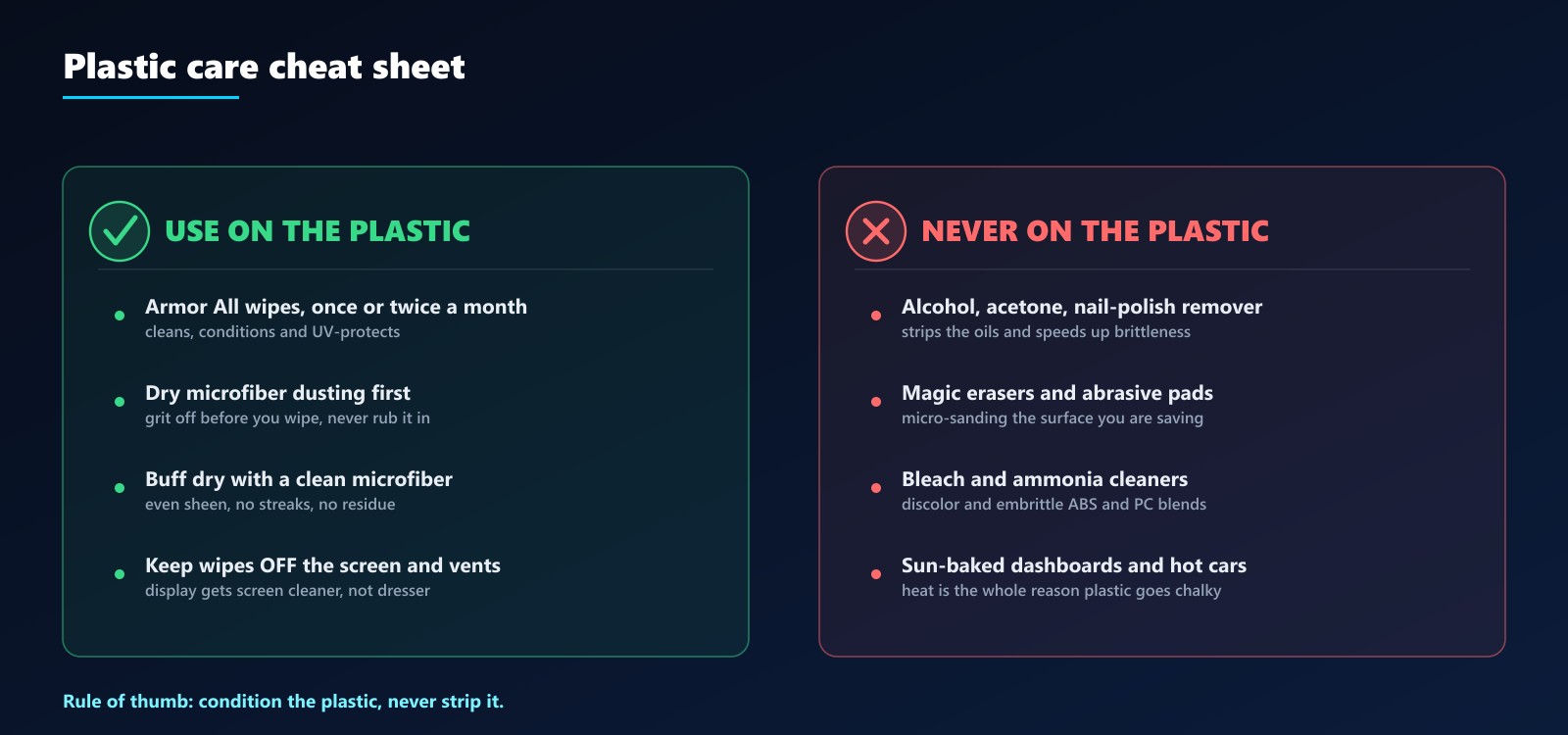
One important irony from our water damage repair guide: we wash logic boards with 99% isopropyl alcohol because boards have no oils to lose. Housings are the opposite — alcohol strips the plasticizers that keep them alive. Board = alcohol yes. Case = alcohol never.
Too Late? How We Repair Aged, Chipped and Cracked Plastic
When a machine reaches us already chipped or cracked, the brittle plastic still has to be handled — gently, with real steps, because careless disassembly turns one crack into five. Our repair process:
- Assessment under bright light. We map every crack and probe the stress points — screw bosses, hinge seats, clips — to find which damage is cosmetic and which is structural. Hairline and structural get completely different repairs.
- Gentle teardown on a soft mat. Aged plastic comes apart with warm hands and plastic tools, never metal prying. Screws backed out at the first sign of resistance, because a snapped screw in a brittle boss is its own repair.
- Deep clean and degrease. The repair zone gets washed with mild soap and water — not solvent — and dried fully, so adhesives bond to plastic and not to the years of hand oil on top of it.
- Hairline cracks: stabilized. Thin CA (glue) is wicked into the crack with a fine applicator, pulling itself the full length by capillary action, then cured. The crack stops being a moving failure and becomes a scar.
- Structural breaks: welded or splinted. Load-bearing splits get plastic-welded (melted and fused with matching filler rod) or splinted with epoxy and a thin fiberglass mesh on the inside face — invisible from the outside, stronger than the surrounding plastic.
- Broken screw bosses: rebuilt. The classic failure. The old boss is cleared, an epoxy post is cast in its place, drilled and tapped, and the screw grabs like new. This is often the difference between a case that clamps tight and one that rattles forever.
- Hinges: re-seated and reinforced. Worn hinge seats get cleaned, re-bonded and reinforced so the lid tension is smooth again instead of tearing the mount wider every open.
- Cosmetic chips: filled or swapped. Small chips get filled and color-matched; on common machines a donor chassis or palm rest is usually the cleaner answer, and we stock and source them.
- Reassembly with anti-seize care — screws go back snug, not gorilla-tight, because overtightening is how next year's crack gets seeded.
- Condition and hand off. Every repaired plastic surface goes home freshly conditioned — and we show the owner the wipe routine so the repair outlives the warranty.
Honest limits: repair makes cracked plastic strong and whole again, but it cannot make brittle plastic young. That is why we finish every job by handing the owner the maintenance habit that would have prevented the visit — the same one below in the FAQ.
Bonus: Why Old Plastic Turns Yellow (and What Actually Fixes It)
That classic yellowed-beige look on 90s and 2000s machines is the same aging chemistry — bromine flame retardants in the ABS oxidizing under UV light. The hobby fix is retr0brighting: hydrogen peroxide plus controlled UV to reverse the discoloration. It works, it is cosmetic, and it is another reason we keep machines out of the sun — conditioned and shaded plastic yellows far more slowly than neglected plastic.
Frequently Asked Questions
Are Armor All wipes safe to use on a computer or laptop?
On the plastic housing, yes — that is exactly the right place for them. Power the machine off first, dust with a dry microfiber, wipe one section at a time in long passes, and keep the wipe out of the keyboard gaps, ports, vents and speakers. Buff dry with a clean microfiber. Never take a protectant wipe to the display panel — the screen gets screen cleaner and a dry cloth, nothing else.
Why does old computer plastic get brittle and crack?
The plastic in most cases is ABS, polycarbonate or a blend, kept flexible by plasticizer oils. Heat cycles, UV light and time boil those oils off, and the cleaners people commonly reach for — alcohol, acetone — strip even more. What is left is stiff, chalky plastic with no give, so stress concentrates at the thin sections: screw bosses, hinge mounts, clips and corners. That is where chips and cracks start.
How often should I treat my laptop with Armor All wipes?
As routine maintenance, once or twice a month is the sweet spot for a daily-driver machine, and once a quarter is fine for a bench or spare machine. The goal is to never let the surface go chalky in the first place — conditioning existing oils is easy; restoring embrittled plastic is not really possible.
Can cracked laptop plastic be repaired?
Often, yes. Hairline cracks get stabilized with thin CA glue wicking into the crack; structural breaks get plastic-welded or reinforced with epoxy; broken screw bosses get rebuilt with epoxy and re-drilled; worn hinges get re-seated and reinforced. Cosmetic chips can be filled and color-matched, or the part swapped from a donor chassis. What we cannot do is make brittle plastic flexible again — repair fixes the crack, conditioning prevents the next one.
Why is my old laptop plastic turning yellow?
Most ABS from the 80s through the 2000s contained bromine flame retardants, which oxidize under UV light and turn the plastic yellow, then brown. It is the same aging process — surface chemistry changing with light and heat. The hobby fix is "retr0brighting" (hydrogen peroxide plus controlled UV), which works but is cosmetic; conditioned, shaded plastic yellows far more slowly.
What should I never clean computer plastic with?
Alcohol and acetone (they strip the plasticizer oils and accelerate embrittlement), magic erasers and abrasive pads (micro-sanding), bleach and ammonia cleaners (discoloration and embrittlement), and paper towels used dry (micro-scratches that collect grime). A damp microfiber for dust, a protectant wipe for conditioning, and nothing harsher.
Bring It In — Cracked, Chipped, or Just Tired-Looking
If your machine's plastic is already chalking, chipping or cracking at the hinge, it will not heal itself — and it will not get cheaper to fix later. Walk-ins are welcome, and the assessment is quick.
Contact us or schedule a drop-off →
ShortCircuited Robotics — 1339 Lincoln Pl #6B, Brooklyn, NY 11213 · (929) 487-3802
More reading: our step-by-step water damage repair guide (why time kills machines), the repair price list, and the shop FAQ.