




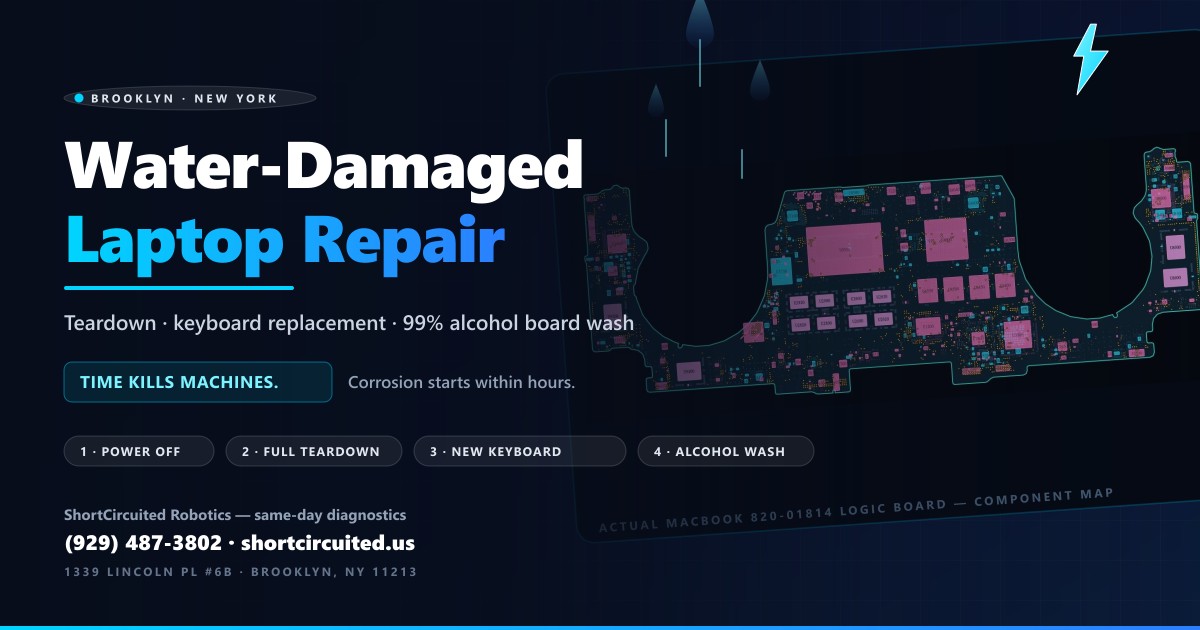
It happens in half a second. A glass tips, a bottle leaks in the backpack, rain comes through a window — and there is liquid pooling on your laptop keyboard. What you do in the next few minutes decides whether you are booking a keyboard replacement or shopping for a new machine. We open water-damaged laptops every week at our Brooklyn bench, and the single biggest factor in how a repair ends is not what was spilled. It is how long the machine sat with liquid in it. Time kills machines.
Here is the full process from both sides: what to do in the first five minutes, what the liquid actually does inside, why the keyboard almost always has to be replaced entirely, when we get lucky and save the board with a 99% isopropyl alcohol wash, and the exact step-by-step repair we run on the bench.
Time Kills Machines: What a Spill Does Over Time
Water itself rarely kills a laptop instantly — pure water is a poor conductor, and a machine that was off when the spill happened often takes no short at all. What kills laptops is what happens next. The water that hits your keyboard is never pure: it carries minerals, sugars, salts and acids, and it immediately starts wicking through the key mechanisms down onto the logic board. As it sits, it oxidizes traces, attacks solder joints and grows crusty white and green corrosion around every component it touched.
The danger timeline looks like this:
- Hour 0: liquid on the board. If the laptop stays off, most of this is recoverable.
- 24–48 hours: residue and corrosion start blooming around pads, chips and connectors — even with the machine powered off.
- 1 week and beyond: corrosion eats traces and component legs open. Every extra day on the shelf is a worse quote.
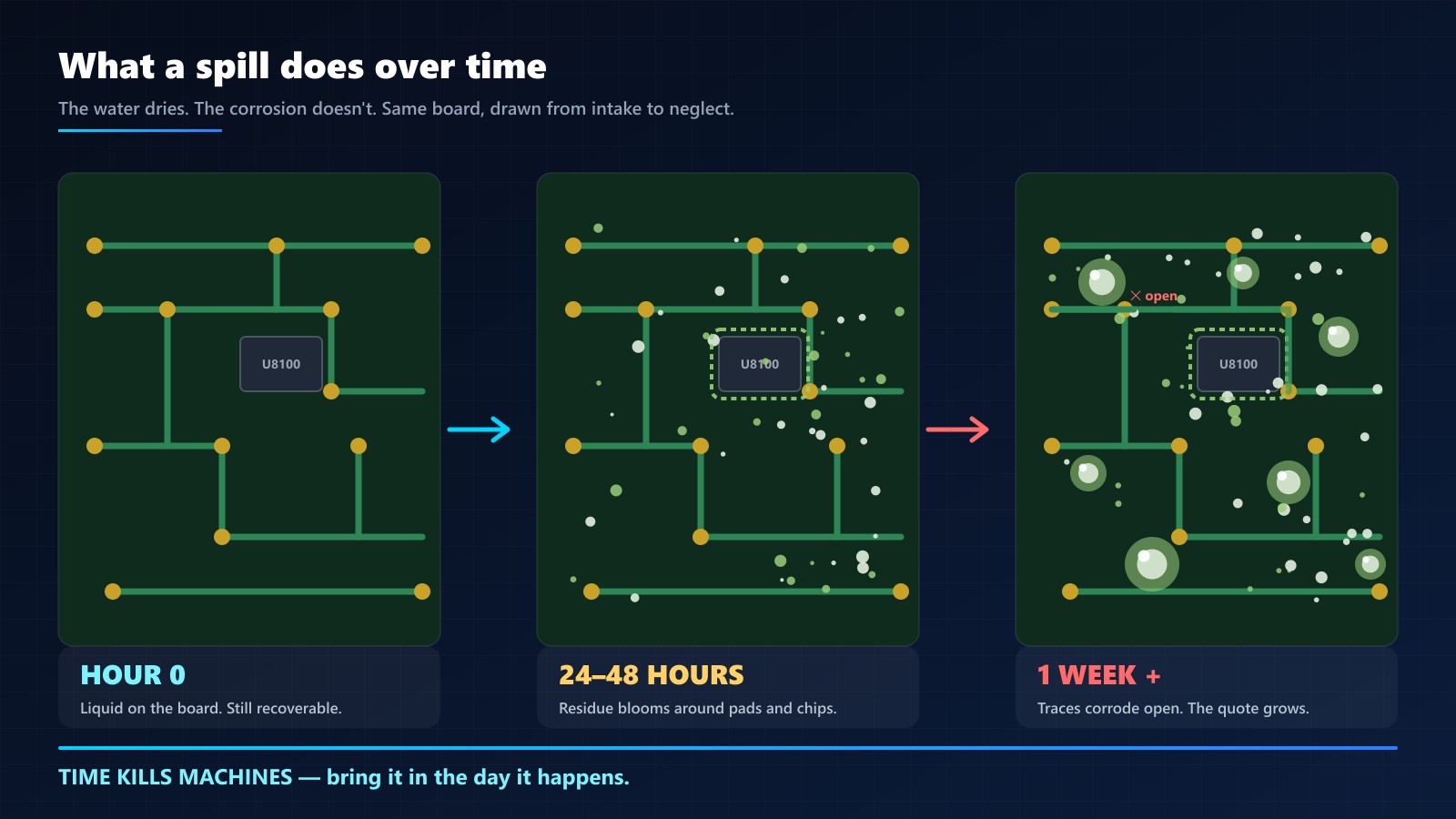
This is also why “it dried out and worked for a week” is a false recovery. A machine can run for days on a corroding board before the residue finally bridges two traces or eats a pad. If a laptop took a spill and “came back to life,” it is still carrying the clock.
First 5 Minutes After a Spill: What To Do Right Now
- Shut it down. Hold the power button, hard. Do not save your work first, do not shut down cleanly. Power off is the single most damage-preventing move there is.
- Unplug the charger immediately — the adapter is the highest-energy source connected to the board.
- Do NOT power it back on to “see if it's OK.” This is the mistake that turns a $200 repair into a dead board. Testing is what we do with the machine open and the battery disconnected.
- Flip it, open like a tent, drain. Upside down in a V over a towel so liquid runs out, not deeper in.
- No rice, no hair dryer. Rice does not reach the liquid and adds dust and starch; heat warps components and pushes moisture deeper. (We wrote a whole post on why rice is useless after a laptop spill.)
- Bring it in the same day. Every hour is corrosion hours. A machine on our bench the day of the spill is a completely different repair than the same machine a week later.
Why the Keyboard Almost Always Gets Replaced Entirely
The spill lands on the keyboard, so the keyboard is where the damage concentrates. Modern laptop keyboards are layered sandwiches — keycaps, scissor or butterfly mechanisms, a thin membrane, often a backlight film — all sitting directly over an opening to the logic board. Liquid wicks sideways into those layers and down through them, and none of it can be wiped out from above.
Once it is in there:
- Water and soda corrode the metal domes and traces inside the membrane, so keys stop registering or start phantom-typing.
- Sweet drinks dry into syrup that glues the scissor mechanisms shut — sticky, dead, or mushy keys.
- The corrosion spreads under every key in the puddle's footprint, not just the keys you saw get wet.
We try to save keyboards when we can, but the honest failure rate on cleaned spilled-on keyboards is the reason the industry standard exists: on nearly every spill job the keyboard comes out entire and a new one goes in. On MacBooks that means the full top case; on most PCs it is the keyboard assembly itself. On some machines the spill also reaches the trackpad cable area or the keyboard backlight, and those go in the same replacement. A half-saved keyboard that phantom-clicks is not a repair, it is a callback.
When We Get Lucky: Washing the Board With 99% Isopropyl Alcohol
Now the good news. The logic board itself survives far more often than people expect — if it reaches a bench fast. When we open a machine and find clean water damage, no burn marks, no heavy corrosion, we can often wash the board clean and save it entirely. That is the lucky path, and it is a genuinely good outcome: no microsoldering, no board replacement.
What we wash with is 99% (or better) isopropyl alcohol — and the purity number matters:
- It displaces water and carries the minerals with it instead of leaving them behind as conductive residue.
- It dissolves dried soda and sugar films off the components (with the help of soft brushes and, for heavy damage, an ultrasonic bath).
- It evaporates fast and clean — no water spots, no moisture left sitting in connectors.
- Rubbing alcohol from the pharmacy is only ~70% — the other 30% is water and additives, which is exactly what we are trying to remove.
The part people get wrong: the alcohol wash is a bench step that comes after a full teardown, not a trick you perform through the keys. Pouring alcohol into a laptop just moves the liquid around under the keyboard. The wash only works because the board is out, bare, battery-disconnected and inspectable.
Our Step-by-Step Water Damage Repair Process
Every shop runs this slightly differently. This is the exact sequence we run at ShortCircuited, in order:
- Intake & triage. We note what spilled, when, and whether the machine was powered on after. The laptop stays off — and if you brought a charger that smells sweet, it comes in as evidence and gets tested separately.
- Bottom case off, battery disconnected first. Before anything else, the battery is disconnected (or its fuse lifted on boards where it can't be unplugged). A wet board with a live battery is how boards burn.
- Drive out and data checked. Your files ride separately from the repair. The SSD goes to its own check before we do anything risky.
- Full teardown to the bare board. Every shield, fan, and cable comes off. Liquid hides under RF shields and inside connectors — a partial teardown is how corrosion gets missed.
- Keyboard and top case out. The spilled-on keyboard comes out entire (see above). It is replaced, not washed — a new one goes in at reassembly.
- Microscope inspection. Under magnification we map exactly where the liquid went: connector pins, chip legs, shield undersides. This map decides how gentle or aggressive the clean needs to be.
- The wash — 99% isopropyl alcohol. Soft brushes, IPA, and when the corrosion is heavy or sugary, an ultrasonic bath. The board comes out genuinely clean, not just dry.
- Corrosion removal and board-level repair. Anything the corrosion ate — a pad, a component leg, a trace — gets cleaned, reflowed, rebuilt or replaced under the microscope. This is the step the clock steals from you: day-one boards often skip it entirely.
- Controlled dry and re-inspection. The board is dried, then inspected again — any residue left now is one that will fail later.
- Rebuild with the new keyboard. New keyboard (and trackpad or backlight if they were hit), every connector reseated, thermal paste refreshed while we're in there.
- Powered diagnostics and burn-in. Only now do we apply power: keyboard matrix test key by key, trackpad, ports, camera, speakers, WiFi, battery health, then a soak test so anything marginal shows up on our bench and not yours.
Real Boards: What We're Looking At Under the Scope
We work from real board files — schematics and boardviews — on every liquid damage job, so when a trace corrodes open we know exactly where it was supposed to go. Here is what that looks like: these are actual component maps drawn straight from the board files of machines like the ones on our bench.
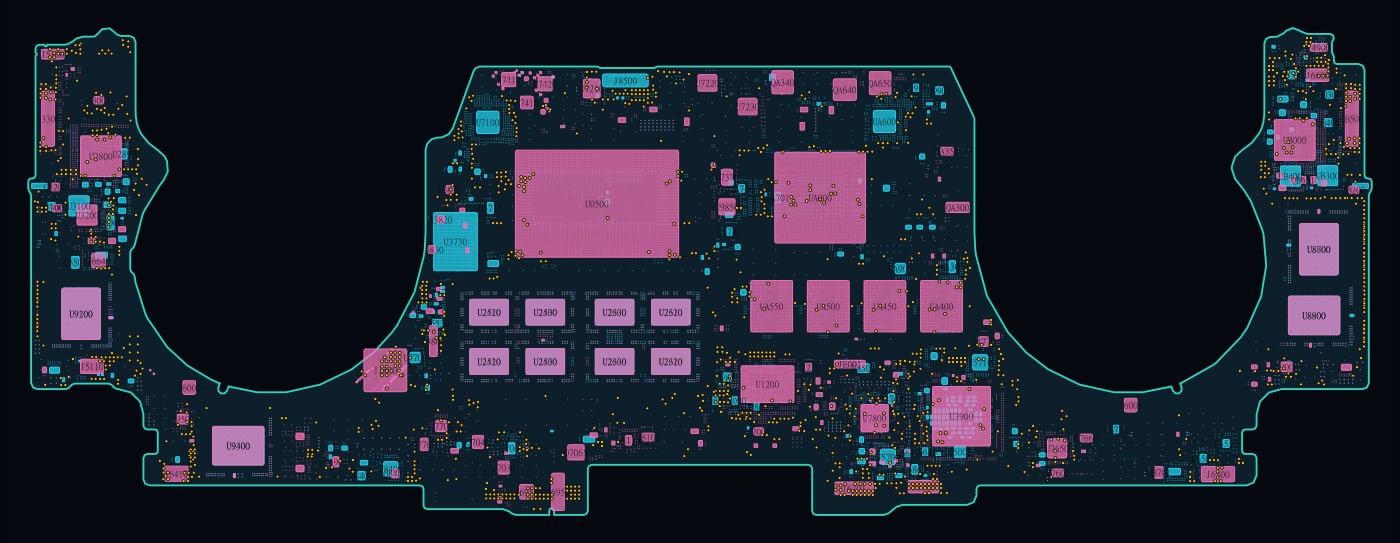

We publish our whole free boardview & schematic library — MacBook, Dell, HP, Lenovo and more — for technicians and DIYers who want to see what is under their machines.
What Decides the Repair Cost
Four things, in order of importance:
- How fast it got to a bench. The corrosion clock is the quote. Same-day machines are the cheap ones.
- What was spilled. Clean water is the best case. Coffee and soda leave sugar and acids. Salt water and pool water are the worst.
- Whether it was powered on after the spill — and whether it shorted.
- The keyboard. Model and availability set that part of the quote (a MacBook top case and a ThinkPad keyboard are different money).
Our repair price list covers the typical ranges, and the diagnostic tells you the real number before any work is approved.
Frequently Asked Questions
Can a water-damaged laptop be repaired?
Usually, yes — if the battery did not cook the board and corrosion has not eaten through traces yet. The two biggest factors are how quickly the machine reaches a bench (hours matter, not days) and what was spilled. Clean water victims fare far better than coffee, soda or ocean water. The keyboard almost always needs replacement; the board can often be washed and saved.
How soon after a spill do I need repair service?
The same day is the goal, within 24–48 hours at the outside. Corrosion starts within hours of a spill and accelerates every day after — white and green residue blooms around components, then eats traces and pads open. A laptop brought in on day one is often a wash-and-rebuild; the same laptop on week two can need board-level component repair or replacement.
Why does the whole keyboard have to be replaced after a spill?
The spill lands on the keyboard first, and liquid wicks into the layers under the keycaps — through the scissor mechanisms, the membrane and the backlight film — where it cannot be wiped clean. Sweet drinks dry into sticky glue that binds the key mechanisms. Half-cleaned keyboards keep registering phantom keys, so on nearly every spill job the keyboard comes out entire and a new one goes in.
Does rice actually dry out a wet laptop?
No. Rice is a poor absorbent for liquid trapped inside a sealed chassis, the dust and starch can end up inside your ports and fans, and worst of all the laptop sits untouched for days while corrosion does its work. Power the machine off, do not plug it in, and bring it to a technician — that beats any pantry hack. See our earlier post on why rice is useless.
Can I clean the motherboard myself with isopropyl alcohol?
Not safely. A proper board wash happens after a full teardown with the battery disconnected — 99%+ isopropyl alcohol, soft brushes, and often an ultrasonic bath — followed by inspection under a microscope. Opening the machine yourself risks the battery, the keyboard ribbon cables and losing screws, and a surface wipe never reaches what is under the shields. If you do nothing else: keep it powered off and get it to a bench fast.
How much does water damage repair cost?
It depends on the machine, the liquid, and how long it sat. A fresh spill on a common laptop is usually a teardown, alcohol wash, corrosion touch-up and a new keyboard. A machine that arrives corroded can need microsoldering or board replacement. We quote after the bench inspection — start with our repair price list and the diagnostic fee is credited toward the repair.
Spilled Something? Bring It In Today.
If a machine of yours took a hit recently — even one that “dried out and works” — the cheapest repair it will ever need is the one it gets today. Walk-ins are welcome.
Contact us or schedule a drop-off →
ShortCircuited Robotics — 1339 Lincoln Pl #6B, Brooklyn, NY 11213 · (929) 487-3802
More reading: our earlier post on what a water spill does to your laptop (and why rice is useless), our guide to aging plastic on computers — why cases chip, crack and turn brittle, and the Armor All wipe routine that prevents it, and the shop FAQ for turnaround times and warranty.